
SolidWorks for DAE Mechanical Beginners | 3D Modeling Guide
Step into 3D modeling with SolidWorks! This beginner’s guide helps DAE Mechanical students design assemblies, simulate parts, and enhance projects.
By Mr. Ahmed Ali Mughal8 min read
3D CAD
Software Type
Parts, assemblies, drawings
CSWA
Entry Certification
Globally recognised
8 GB RAM
Minimum Requirement
16 GB recommended
Job Ready
Career Benefit
Gulf & local industry
Introduction — SolidWorks for DAE Mechanical Beginners in Pakistan
SolidWorks is one of the most widely used 3D CAD software tools in mechanical engineering globally — and in 2025, it has become a near-essential skill for DAE Mechanical students in Pakistan seeking employment in manufacturing, automotive, defence, and CPEC-linked industrial projects. Unlike AutoCAD which is predominantly 2D, SolidWorks allows engineers and technicians to design fully parametric 3D models, assemble them into complex mechanical systems, run basic simulations, and generate professional technical drawings — all within a single software environment.
This guide is designed specifically for DAE Mechanical beginners — students who are new to 3D CAD and want a clear, step-by-step understanding of what SolidWorks is, why it matters for their career, and how to start learning it effectively. No prior SolidWorks experience is assumed.
- What SolidWorks is — and how it differs from AutoCAD and other CAD tools
- Why DAE Mechanical students in Pakistan must learn it — industry demand and career benefits
- System requirements — what PC specifications you need to run SolidWorks smoothly
- Interface and core tools — a practical overview of everything beginners must know
- SolidWorks vs AutoCAD — which to learn first and why
What is SolidWorks — 3D CAD Software for Mechanical Engineering
SolidWorks is a parametric 3D computer-aided design (CAD) and computer-aided engineering (CAE) software developed by Dassault Systèmes. It is used across mechanical, automotive, aerospace, consumer products, and industrial machinery design. The word "parametric" means that every dimension and feature in your model is driven by editable parameters — change one number and the entire model updates automatically.
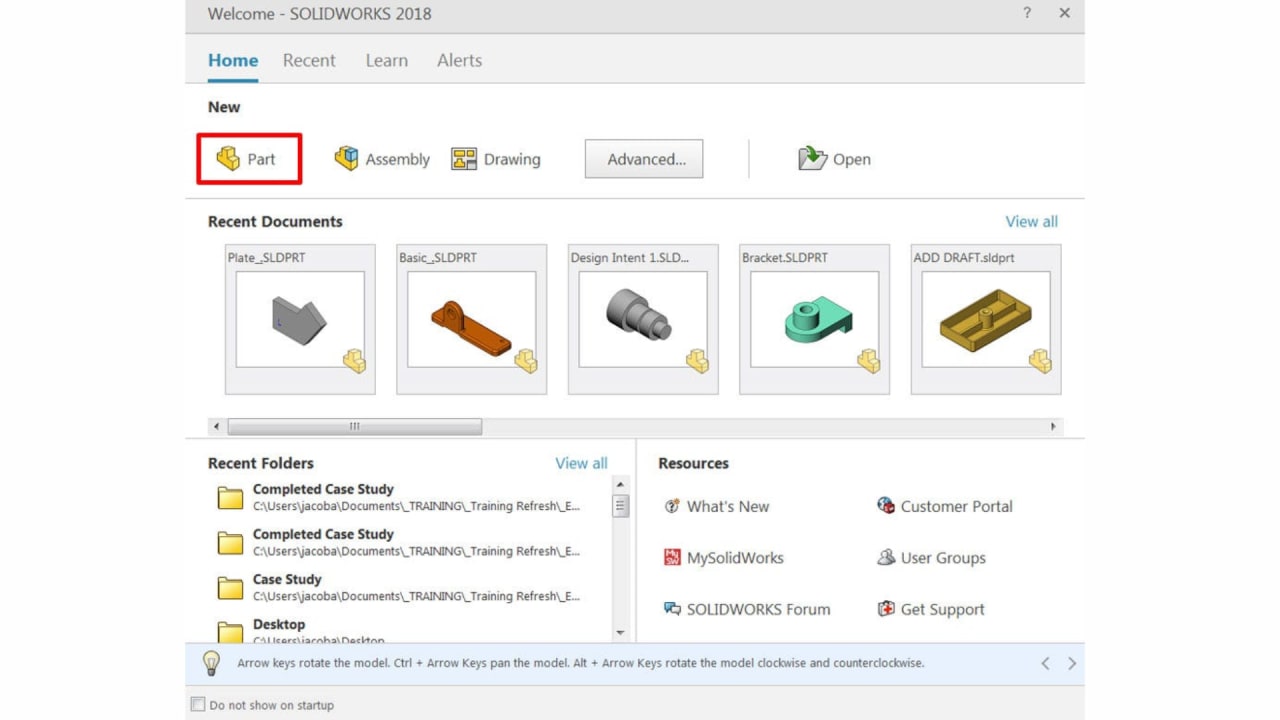
For DAE Mechanical students, SolidWorks operates in three primary document environments:
- Part (.sldprt) — design individual 3D components from 2D sketches using features like Extrude, Revolve, and Fillet
- Assembly (.sldasm) — bring multiple parts together, apply mates (constraints) to define how they relate, and check for interference
- Drawing (.slddrw) — generate 2D engineering drawings from 3D models automatically, with dimensions, annotations, and title blocks
Key fact: SolidWorks is currently used by over 3 million engineers worldwide and is the dominant 3D CAD platform in Pakistan's automotive, defence, and precision manufacturing sectors. The Certified SolidWorks Associate (CSWA) exam is a globally recognised credential that Pakistani employers increasingly look for alongside DAE qualifications.
Why SolidWorks is Important for DAE Mechanical Students in Pakistan
Pakistan's manufacturing and engineering sector is rapidly modernising. Factories investing in CNC machinery, automated production lines, and export-oriented precision manufacturing need technicians who can work with 3D digital models, not just interpret 2D paper drawings. SolidWorks sits at the centre of this shift.
Creates Accurate 3D Models
Design machine parts and assemblies in 3D before any physical material is cut — catching errors at the design stage saves significant cost and time.
Generates Professional Drawings
Automatically produce dimensioned, annotated 2D drawings from your 3D model — the standard deliverable for machine shops and fabricators.
Simulates Real-World Behaviour
Run basic stress analysis (FEA) and motion simulation to validate designs before manufacturing — critical for safety-critical mechanical components.
Expands Career Opportunities
SolidWorks proficiency appears in a growing proportion of mechanical technician and CAD draughtsman job advertisements in Pakistan and Gulf countries.
SolidWorks System Requirements for DAE Students in Pakistan
SolidWorks is a demanding application. Running it on an underpowered PC leads to crashes, slow redraws, and frustrating performance issues that make learning difficult. Verify your system meets these requirements before installing.
| Component | Requirement |
|---|---|
| Operating System | Windows 10 (64-bit) or Windows 11 |
| RAM | Minimum 8 GB — 16 GB strongly recommended for assemblies |
| Processor | Intel Core i5 / i7 or AMD Ryzen 5 / 7 (3.0 GHz+) |
| Graphics Card | Dedicated GPU — NVIDIA Quadro or GeForce RTX preferred |
| Storage | 20 GB free space — SSD required for smooth performance |
| Display | 1920×1080 (Full HD) minimum resolution |
Budget tip for Pakistani students: If you cannot afford a high-spec PC, use your college computer lab during off-peak hours for heavy assembly work, and use a lower spec machine at home for sketching and part modelling. Many TEVTA colleges have SolidWorks licensed on lab computers.
SolidWorks Interface Overview — Key Areas Beginners Must Know
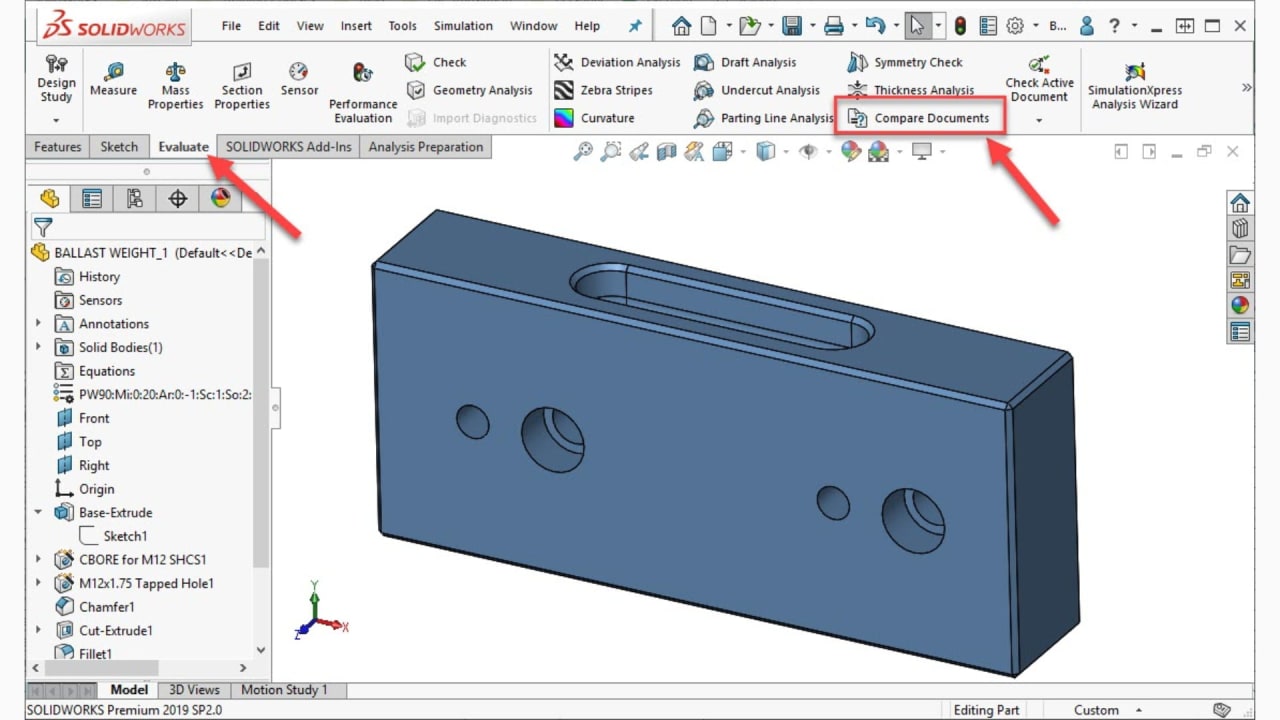
The SolidWorks interface feels overwhelming at first but becomes intuitive quickly once you understand the role of each panel. Spend your first session simply exploring the interface — click every menu, hover over every icon, and read the tooltip. This investment pays off fast.
UI
Feature Manager Design Tree
Displays the history of every feature applied to a part or assembly — essential for editing and debugging models.
UI
Command Manager
Context-sensitive toolbar that changes based on the active mode (Sketch, Features, Assembly, Drawing).
UI
Graphics Area
The main 3D workspace where you visualise, rotate, and interact with your model in real time.
UI
Property Manager
Appears on the left panel when a tool is active — shows all settings and parameters for the current operation.
UI
Status Bar
Displays real-time information about sketch status (fully defined, under-defined) and active units.
Basic Tools & Features in SolidWorks Every Beginner Must Master
SolidWorks has hundreds of tools, but beginners should focus exclusively on this core set for the first three months. Mastering these tools in depth is more valuable than a superficial familiarity with every feature.
Sketch Tools
- Line
- Circle
- Rectangle
- Arc
- Polygon
- Spline
- Trim / Extend
- Offset Entities
Feature Tools
- Extrude Boss/Base
- Extrude Cut
- Revolve
- Fillet
- Chamfer
- Shell
- Rib
- Pattern
Assembly Tools
- Insert Component
- Mate (Coincident, Concentric, Distance)
- Exploded View
- Interference Detection
Drawing Tools
- Standard Views
- Section View
- Detail View
- Smart Dimension
- Annotations & GD&T
- BOM Table
Most important SolidWorks features for DAE Mechanical projects
- Extrude Boss/Base — the most fundamental feature. Every solid part begins here. Practice until creating a fully dimensioned extruded sketch takes under two minutes.
- Coincident and Concentric Mates — the two mates you will use in 90% of all assembly work. Master these before attempting any other mate type.
- Smart Dimension — SolidWorks' primary dimensioning tool for both sketches and drawings. Understanding how dimensions drive sketch geometry is the key insight that separates beginners from intermediate users.
- Section View in Drawing — cutting plane views are mandatory on professional technical drawings and are tested in the CSWA exam.
Mechanical Designs and Assemblies in SolidWorks for DAE Students
The real power of SolidWorks for mechanical technicians is its ability to model complete mechanical systems — not just individual parts in isolation. Once you can create parts, you can assemble them into working mechanisms and visualise how they move and interact.
Recommended practice projects for DAE Mechanical beginners
Beginner
- Hexagonal bolt and nut
- Stepped shaft
- Flange coupling half
- Simple bracket with holes
Intermediate
- Gear pair assembly
- V-belt pulley system
- Bearing housing assembly
- Pipe flange with gasket
Advanced
- 4-bar linkage mechanism
- Single-cylinder engine assembly
- Gearbox casing with gears
- Hydraulic cylinder
Drawing Output
- Multi-view orthographic drawing
- Section views of assemblies
- BOM with balloons
- Toleranced detail drawings
SolidWorks vs AutoCAD — Which Should DAE Mechanical Students Learn First?
This is the most common question from DAE Mechanical beginners in Pakistan. Both are essential — but they serve different purposes, and the order in which you learn them matters.
| Feature | SolidWorks | AutoCAD |
|---|---|---|
| Software Type | 3D Parametric CAD | 2D Drafting & 3D (basic) |
| Primary Use | Parts, assemblies, simulation | Technical drawings & layouts |
| Best For | Mechanical design & engineering | Architectural & 2D drafting |
| Simulation | Yes — FEA, motion, flow | No |
| BOM Generation | Automatic from assembly | Manual |
| Learning Curve | Moderate (3D concepts needed) | Easier for 2D beginners |
| Industry Demand (PK) | High — manufacturing & auto | Very high — construction & arch |
| CSWA/CSWP Cert | Yes — globally recognised | Autodesk certification available |
Recommendation for DAE Mechanical students: Learn AutoCAD first — it is more immediately required in workshop and site roles, easier to learn from scratch, and teaches you the 2D drafting fundamentals that underpin SolidWorks drawing work. Then add SolidWorks in your second or third year to open 3D design and manufacturing roles. See our AutoCAD for Mechanical Engineering beginners guide to get started.
Learning Tips for SolidWorks Beginners — How to Master 3D CAD Faster
Most beginners stall at the same points: under-defined sketches, failed features, and assembly mates that will not apply. These five structured tips address the most common beginner pitfalls and will significantly accelerate your learning curve.
Master sketching before features
A fully defined sketch (all lines black, no blue) is the foundation of every solid feature. Spend the first week on sketch tools alone — lines, constraints, and dimensions.
Follow the Part → Assembly → Drawing workflow
Always model individual parts first, then assemble them, then generate drawings. This mirrors real professional workflow and builds understanding naturally.
Practice with real mechanical components
Model items you can hold and measure — a bolt, a bracket, a pulley. Comparing your model to the physical object trains spatial reasoning quickly.
Learn keyboard shortcuts early
Ctrl+Z (undo), Spacebar (view orientation), F (fit to screen), and G (magnify) will save hours of work. Print a shortcut reference and keep it on your desk.
Use MySolidWorks tutorials (free)
Dassault Systèmes offers free beginner tutorials at my.solidworks.com. These are the official learning path for the CSWA certification exam.
Frequently Asked Questions — SolidWorks for DAE Mechanical Students
- Is SolidWorks necessary for DAE Mechanical students?
- Yes, learning SolidWorks improves drafting skills, helps in creating 3D models and assemblies, and increases job and internship opportunities in mechanical engineering.
- Can beginners learn SolidWorks easily?
- Yes, beginners can learn SolidWorks effectively by starting with simple sketches, practicing daily, and gradually moving to assemblies and advanced features.
- Which industries use SolidWorks in Pakistan?
- SolidWorks is widely used in manufacturing, automotive, aerospace, and industrial design sectors in Pakistan.
- Is SolidWorks better than AutoCAD for mechanical design?
- Both are important. AutoCAD is primarily used for 2D drafting and layouts, while SolidWorks excels at 3D modeling, assemblies, and simulation of mechanical parts.
- Which version of SolidWorks is best for beginners?
- Any recent stable version of SolidWorks is suitable for beginners, though the latest version will have improved tools and features.
- Can SolidWorks simulate real-world mechanical behavior?
- Yes, SolidWorks allows simulation of moving parts, stress analysis, and motion studies to test designs before manufacturing.
Conclusion — Design the Future, Build Your Career with SolidWorks
SolidWorks is an essential tool for DAE Mechanical students in Pakistan who want to advance beyond basic workshop roles into design, CAD drafting, quality control, and manufacturing engineering positions. The ability to create parametric 3D models, assemble complex mechanisms, run simulations, and generate professional drawings sets SolidWorks-proficient technicians apart in a competitive job market.
Start with the fundamentals — sketch, extrude, mate. Build real mechanical components from your DAE curriculum. Work toward the CSWA certification. Every hour you invest in SolidWorks is a direct investment in your earning potential and career trajectory in Pakistan's growing industrial sector.
Remember: SolidWorks is a tool. The mechanical engineering knowledge behind the tool — understanding how parts are manufactured, how assemblies move, what tolerances mean — is what makes a great designer. Learn both together.
Continue your learning: AutoCAD for Mechanical Engineering Beginners · Skills for Mechanical Technician Jobs · Mechanical Workshop Tools & Their Uses
Written by
Mr. Ahmed Ali Mughal
Mr. Ahmed Ali Mughal has 7 years of experience in mechanical design, thermal analysis, and materials testing, contributing to efficient and innovative engineering solutions. He blends analytical thinking with practical design implementation.