INTRODUCTION TO COMPUTERS
Other Chapters
INTRODUCTION TO COMPUTERSMS-WINDOWSMS-WORDMS-EXCELMS-POWERPOINTINTERNET AND EMAILAutoCAD MENUSCO-ORDINATE SYSTEM IN ARCHITECTURAL DRAWINGSDISPLAY COMMANDSDRAW COMMANDSCONSTRUCT & EDIT COMMANDSFILE COMMANDSSETTINGS IN ARCHITECTURAL DRAWINGSINTERNATIONAL CAD STANDARDS
- Q1: Define Computer.Ans: A computer is an electronic device that processes data and performs tasks according to instructions.
- Q2: Write some uses of computers.Ans: Some of the uses are:
- ➔ Education
- ➔ Business
- ➔ Communication
- ➔ Entertainment
- ➔ Research
- Q3: Name different parts of the computer.Ans: Some of the parts are:
- ➔ Monitor
- ➔ CPU
- ➔ Keyboard
- ➔ Mouse
- ➔ Printer
- Q4: Define Storage devices.Ans: Devices used to store data and files, e.g., hard drives, USB drives are called storage devices.
- Q5: What do you know about desktops?Ans: A desktop is a personal computer designed to be used at a fixed location.
- Q6: Define Hardware.Ans: The physical components of a computer system that we can touch are called hardware.
- Q7: Define Software.Ans: A set of instructions that tells the computer what to do is called software.
- Q8: Define RAM.Ans: The temporary memory used by a computer while working is called RAM (Random Access Memory).
- Q9: Define ROM.Ans: The permanent memory that stores essential system instructions is called ROM (Read Only Memory).
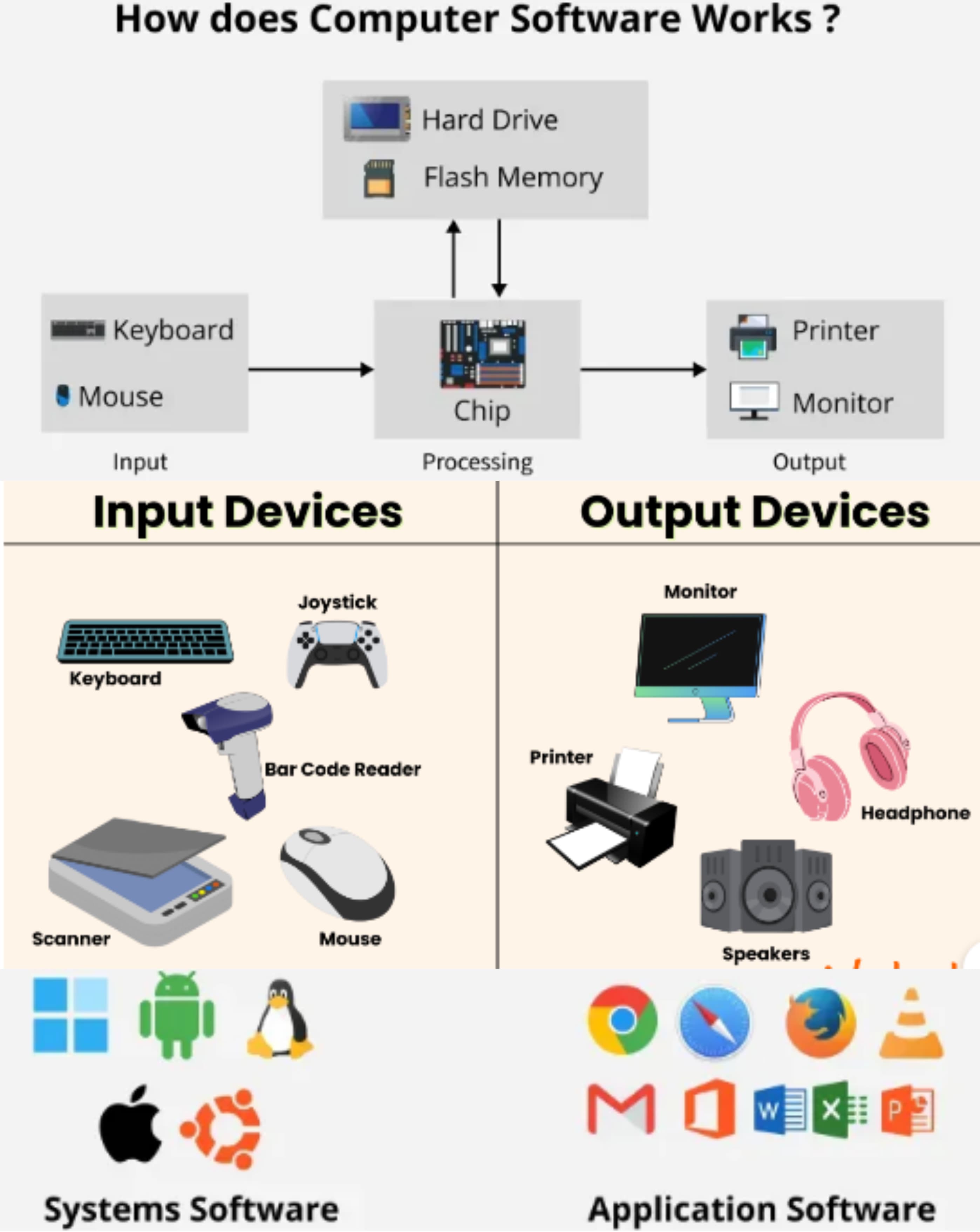
- Q10: Define Input devices.Ans: Devices that are used to enter data into a computer are called input devices. Examples: Mouse, Keyboard etc.
- Q11: Define Output devices.Ans: Devices that show the result of processed data are called output devices. Examples: Monitor, Printer etc.
- Q12: Define Magnetic disk.Ans: A storage device that uses magnetic storage to store data is called a magnetic disk.
- Q13: Define Floppy disk.Ans: A small, removable magnetic storage device used in older computers is called a floppy disk.
- Q14: Write some benefits of USB.Ans: Some of the benefits are:
- ➔ Portable
- ➔ Easy to use
- ➔ Provide fast data transfer
- ➔ Are reusable
- Q15: Define USB.Ans: A standard device used to connect peripherals to a computer is called a USB (Universal Serial Bus). OR USB is a standard way to connect devices to a computer for data transfer and power.
- Q16: What do you know about a Scanner?Ans: A scanner is a device that converts physical documents into digital format.
- Q17: State some important features of Laser printers.Ans: The features are:
- ➔ High speed
- ➔ Sharp print quality
- ➔ Low noise
- ➔ Cost-effectiveness for bulk printing
- Q18: What do you know about Programming languages?Ans: Programming languages are used to write software and control the operations of a computer.
- Q19: Enlist any 4 programming languages.Ans: The languages are:
- ➔ Python
- ➔ Java
- ➔ C++
- ➔ HTML
- Q20: What are Application Softwares?Ans: Software designed to perform specific tasks for users is called application software.
- Q21: Write any 4 important features of Application softwares.Ans: The features are:
- ➔ User-friendliness
- ➔ Task-specificity
- ➔ Ease of updates
- ➔ Efficient performance
- Q22: What are CRT monitors?Ans: CRT (Cathode Ray Tube) monitors are bulky display screens that use cathode ray tubes to display images.
- Q23: What is a Laptop?Ans: A laptop is a portable personal computer that can be used anywhere.
- Q24: Define Special Purpose Computers.Ans: Computers designed to perform a specific task are called special purpose computers.
- Q25: What do you know about CPU?Ans: The CPU (Central Processing Unit) is the brain of the computer that performs calculations and processes data.
- Q26: Define Hybrid Computers.Ans: Computers that combine the features of both analog and digital computers are called hybrid computers.
- Q27: What are some disadvantages of using computers?Ans: Some of the disadvantages are:
- ➔ Eye strain
- ➔ Cybercrime
- ➔ Job loss
- ➔ Over-dependency
- Q28: Define Micro computers.Ans: Small and affordable personal computers used by individuals are called microcomputers.
- Q29: Define Mini computers.Ans: Medium-sized computers used in businesses and institutions are called minicomputers.
- Q30: Define LCD Monitors.Ans: Flat-panel display screens that use liquid crystal technology are called LCD monitors.
- Q31: Name some color monitors.Ans: Some color monitors are:
- ➔ LCD monitors
- ➔ LED monitors
- ➔ OLED monitors
- ➔ CRT monitors
- Q32: Define Programs.Ans: A set of instructions that a computer follows to perform a task is called a program.
- Q33: Define Assembly Language.Ans: A low-level programming language that is closer to machine code is called assembly language.
- Q34: Define Low Level Language.Ans: A low level language is a programming language that is close to machine language and is hard for humans to understand.
- Q35: Define High Level Language.Ans: A programming language that is easy for humans to understand and use is called a high-level language.
- Q36: Define the Internet.Ans: A global network that connects millions of computers for sharing information is called the internet.
- Q37: Define Intranet.Ans: A private network used within an organization is called an intranet.
- Q38: Write about some advantages of the internet.Ans: Some advantages of the internet are easy communication, access to information, online shopping, and remote work.
- Q39: Write about some disadvantages of the internet.Ans: Some disadvantages of the internet are cybercrime, addiction, misinformation, and privacy concerns.
- Q40: Define Compiler.Ans: A program that converts the entire source code into machine code at once is called a compiler.
- Q41: Define Interpreter.Ans: A program that translates and executes code line by line is called an interpreter.
- Q42: Define Source Program.Ans: The original code written by a programmer in a high-level language is called a source program.
- Q43: Define PASCAL.Ans: PASCAL is a high-level programming language used mainly for teaching and academic purposes.
- Q44: Define FORTRAN.Ans: FORTRAN is a high-level programming language used for scientific and engineering applications.
- Q45: Define Flash drive.Ans: A small, portable USB storage device used to store and transfer data is called a flash drive.
- Q46: One Byte is equal to how many Bits?Ans: One byte is equal to 8 bits.