MS-EXCEL
Other Chapters
INTRODUCTION TO COMPUTERSMS-WINDOWSMS-WORDMS-EXCELMS-POWERPOINTINTERNET AND EMAILAutoCAD MENUSCO-ORDINATE SYSTEM IN ARCHITECTURAL DRAWINGSDISPLAY COMMANDSDRAW COMMANDSCONSTRUCT & EDIT COMMANDSFILE COMMANDSSETTINGS IN ARCHITECTURAL DRAWINGSINTERNATIONAL CAD STANDARDS
- Q1: Define MS Excel.Ans: MS Excel is a spreadsheet software developed by Microsoft used for data organization, calculation, and analysis.
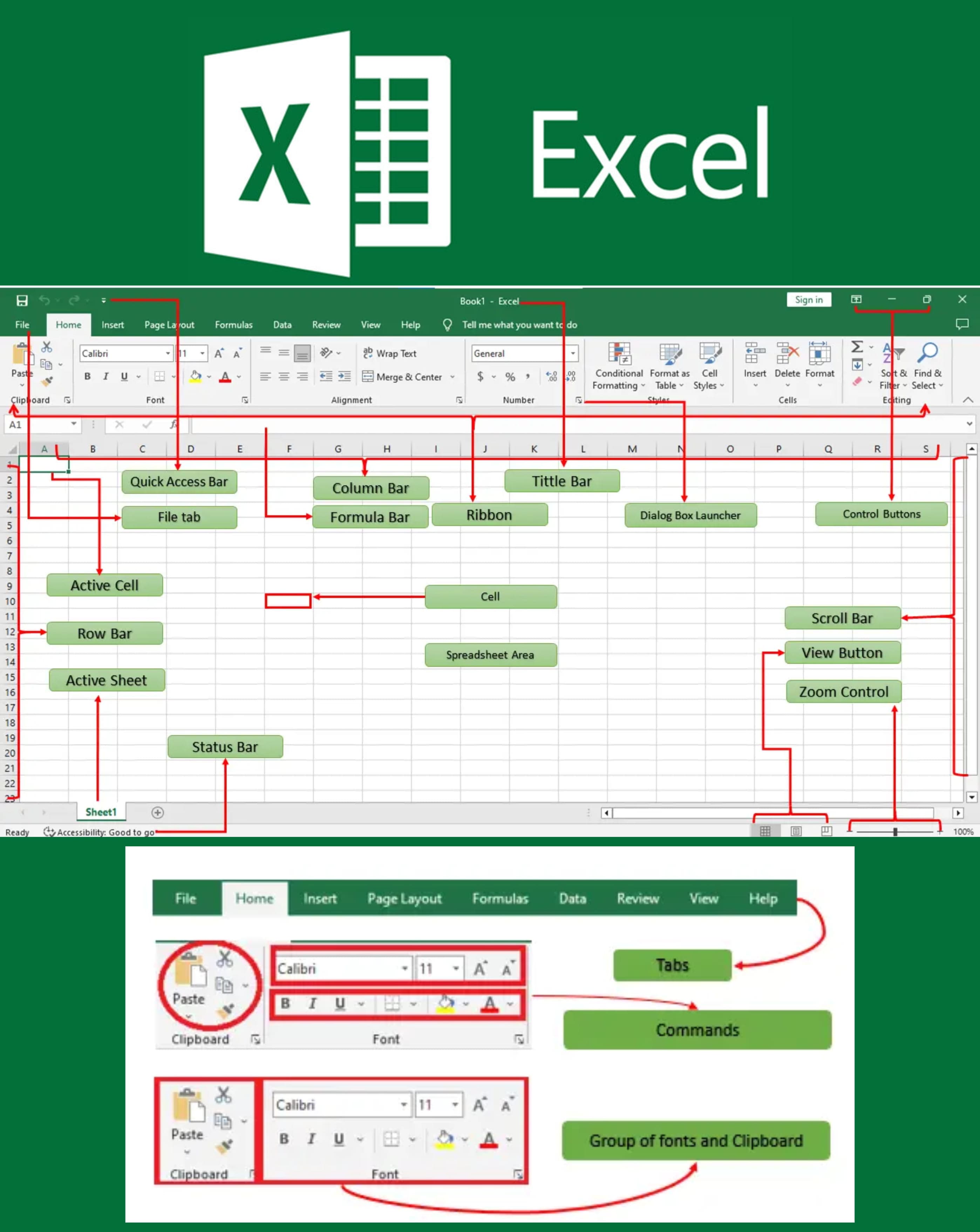
- Q2: Define Title bar.Ans: The Title Bar is the topmost bar in Excel that displays the name of the open workbook and the application.
- Q3: Define Formula bar.Ans: The Formula Bar is a toolbar in Excel where you can enter or edit data and formulas in the selected cell.
- Q4: Define WorkSheet in Excel.Ans: A Worksheet is a single spreadsheet within an Excel workbook consisting of rows and columns for data entry.
- Q5: Write steps to make a formula in Excel with an example.Ans: The steps are:
- ➔ Click a cell
- ➔ Type
=A1+B1to add values of cells A1 and B1 - ➔ Press Enter
- Q6: Write steps to make a chart in Excel.Ans: The steps are:
- ➔ Select data
- ➔ Go to the Insert tab
- ➔ Choose the desired chart type
- ➔ Click to insert it
- Q7: How can you print documents in Excel?Ans: To print a document:
- ➔ Click File → Print
- ➔ Choose the printer and settings
- ➔ Click Print
- Q8: How can you apply formulas in Excel?Ans: Click the cell, type = followed by the formula, and press Enter to apply it.
- Q9: How can you store data in a column in Excel?Ans: Enter data in the cells vertically down a column (e.g., A1, A2, A3).
- Q10: How can you delete rows in Excel?Ans: Right-click the row number and select Delete to remove a row.
- Q11: Differentiate between Workbook and Worksheet.Ans: A Workbook is an Excel file containing multiple Worksheets, and a Worksheet is a single sheet within the Workbook.
- Q12: Name different types of charts in Excel.Ans: The types of charts are:
- ➔ Pie Chart
- ➔ Bar Chart
- ➔ Line Chart
- ➔ Column Chart
- Q13: Define Spreadsheet.Ans: A Spreadsheet is an electronic document made up of rows and columns used for organizing and calculating data.
- Q14: How can you insert a row in Excel?Ans: Right-click the row number where you want to insert, then select Insert.
- Q15: How will you arrange scattered data in a cell in Excel?Ans: Use the Sort function from the Data tab to arrange data in order.
- Q16: Define Pie Chart.Ans: A Pie Chart is a circular chart divided into sectors representing proportions of data.
- Q17: How do you open a new Excel file?Ans: Open Excel and click File → New → Blank Workbook.
- Q18: Define AutoSum in Excel.Ans: AutoSum is a feature that automatically adds a range of numbers and displays the total.
- Q19: What is the extension of the MS-Excel file?Ans: The extension of an MS-Excel file is .xlsx.