MS-WINDOWS
Other Chapters
INTRODUCTION TO COMPUTERSMS-WINDOWSMS-WORDMS-EXCELMS-POWERPOINTINTERNET AND EMAILAutoCAD MENUSCO-ORDINATE SYSTEM IN ARCHITECTURAL DRAWINGSDISPLAY COMMANDSDRAW COMMANDSCONSTRUCT & EDIT COMMANDSFILE COMMANDSSETTINGS IN ARCHITECTURAL DRAWINGSINTERNATIONAL CAD STANDARDS
- Q1: Define MS Windows.Ans: MS Windows is an operating system developed by Microsoft that allows users to interact with their computer through a graphical user interface.
- Q2: What are the examples of Windows?Ans: Following are the examples:
- ➔ Windows XP
- ➔ Windows 7
- ➔ Windows 8
- ➔ Windows 10
- ➔ Windows 11
- Q3: What is the purpose of installing Windows?Ans: The purpose of installing Windows is to manage computer hardware and software and provide a user-friendly interface for users.
- Q4: Write the shortcut key to log off Windows 7.Ans: The shortcut key to log off Windows 7 is Ctrl + Alt + Del, then click Log Off.
- Q5: Define Control Panel.Ans: Control Panel is a component of Windows that allows users to view and change system settings.
- Q6: How to search a document in MS-Windows?Ans: To search a document in MS-Windows, open File Explorer and type the file name in the search box.
- Q7: What is a computer virus?Ans: A computer virus is a malicious software program designed to harm or disrupt computer systems.
- Q8: Write some activities that a computer virus can do.Ans: A computer virus can:
- ➔ Delete files
- ➔ Steal data
- ➔ Slow down the system
- ➔ Crash programs
- Q9: What do you understand by formatting a hard disk?Ans: Formatting a hard disk means erasing all data and setting up a file system for storing files.
- Q10: Differentiate between Hibernate and Shutdown.Ans: Hibernate saves all open files and programs to the hard disk and powers off, while Shutdown closes all programs and completely turns off the computer.
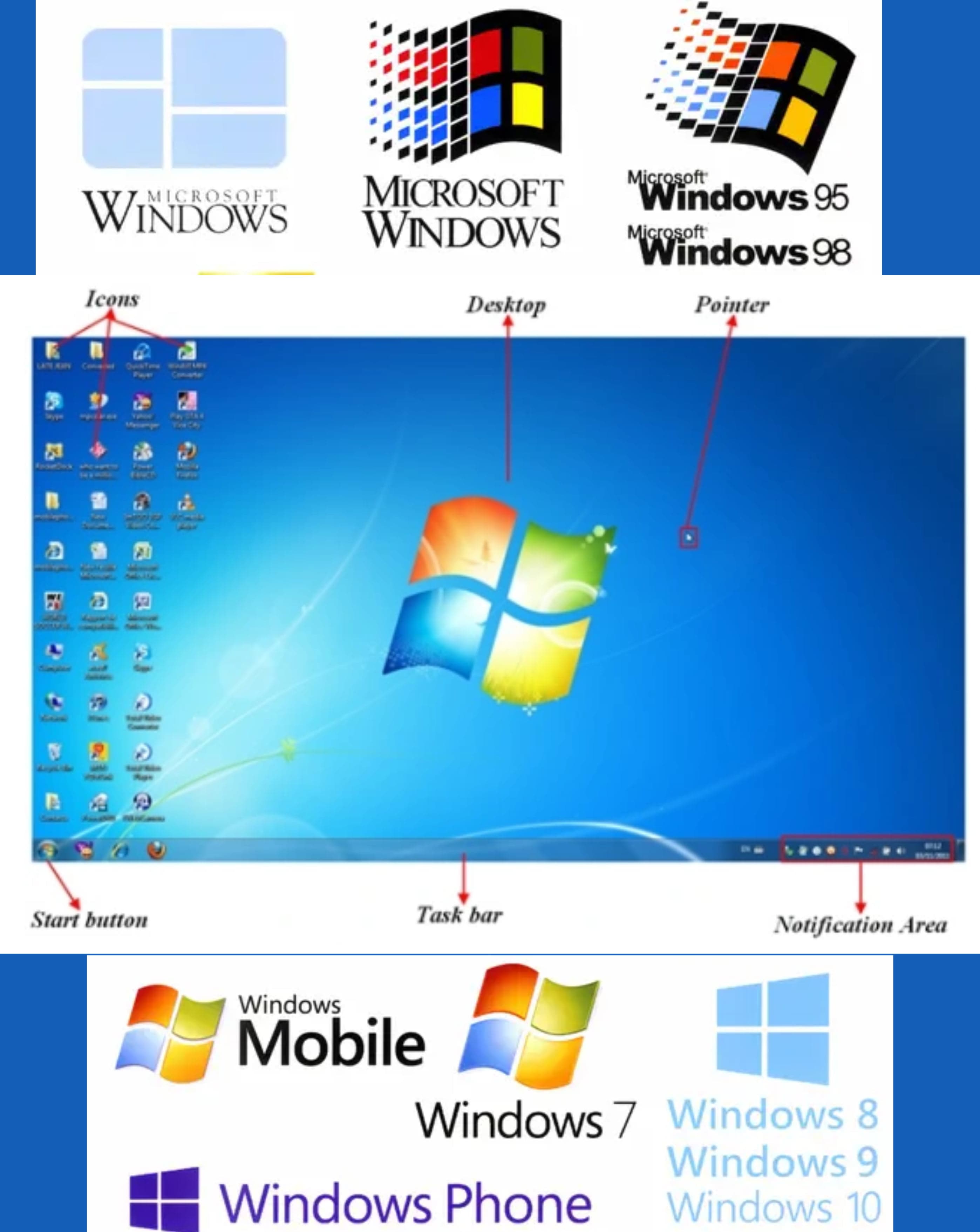
- Q11: Define Icon.Ans: An icon is a small graphical representation of a program, file, or function on the desktop.
- Q12: Name 4 desktop items.Ans: The items are:
- ➔ My Computer
- ➔ Recycle Bin
- ➔ Network
- ➔ Shortcuts to applications
- Q13: Define Task Bar.Ans: The Task Bar is a horizontal bar at the bottom of the screen that shows open programs and contains the Start menu.
- Q14: Define Tool Bar.Ans: A Tool Bar is a set of icons or buttons that provide quick access to commonly used commands.
- Q15: Write 4 menus of Start Button.Ans: The menus are:
- ➔ All Programs
- ➔ Control Panel
- ➔ Documents
- ➔ Shut Down
- Q16: Define Recycle Bin.Ans: Recycle Bin is a folder where deleted files are temporarily stored until they are permanently removed.
- Q17: How do you restore an item from the recycle bin?Ans: To restore an item from the Recycle Bin, right-click the item and select Restore.
- Q18: Write 2 ways in which files and folders can be managed on the computer.Ans: Files and folders can be managed by:
- ➔ Using File Explorer
- ➔ Organizing them into directories
- Q19: How will you rename a file?Ans: To rename a file, right-click the file and choose Rename, then type the new name and press Enter.
- Q20: How a program is un-installed from a computer?Ans: To uninstall a program, go to the Control Panel, click on Programs, then select Uninstall a Program and choose the program to remove.
- Q21: Name some Anti-virus programs.Ans: Some of the Anti-virus programs are:
- ➔ Avast
- ➔ Norton
- ➔ McAfee
- ➔ Kaspersky
- Q22: What is the purpose of using a mouse?Ans: The purpose of using a mouse is to point, click, and interact with items on the computer screen.
- Q23: List 4 important functions of MS-Windows.Ans: Some of the functions are:
- ➔ File management
- ➔ Multitasking
- ➔ Hardware control
- ➔ User interface management
- Q24: List 4 important features of MS-Windows.Ans: Some of the features are:
- ➔ Graphical user interface
- ➔ Plug and play
- ➔ Security features
- ➔ Support for multitasking
- Q25: How do you close a program?Ans: To close a program, click the X button on the top-right corner of the window or press Alt + F4.
- Q26: How do you find a file on a computer?Ans: To find a file, open File Explorer and type the file name in the search bar.
- Q27: Define WordPad.Ans: WordPad is a basic word processing application included in Windows for creating and editing text documents.
- Q28: How do you start a WordPad?Ans: To start WordPad:
- ➔ Click the Start menu
- ➔ Type WordPad in the search bar
- ➔ Press Enter
- Q29: Write the shortcut for Copy command.Ans: The shortcut for the Copy command is Ctrl + C.
- Q30: Write the shortcut for Paste command.Ans: The shortcut for the Paste command is Ctrl + V.
- Q31: Write the shortcut for Cut command.Ans: The shortcut for the Cut command is Ctrl + X.
- Q32: Define Modems.Ans: A modem is a device that connects a computer to the internet by converting digital data into signals.
- Q33: How to install a program?Ans: To install a program, run the setup file and follow the on-screen installation instructions.