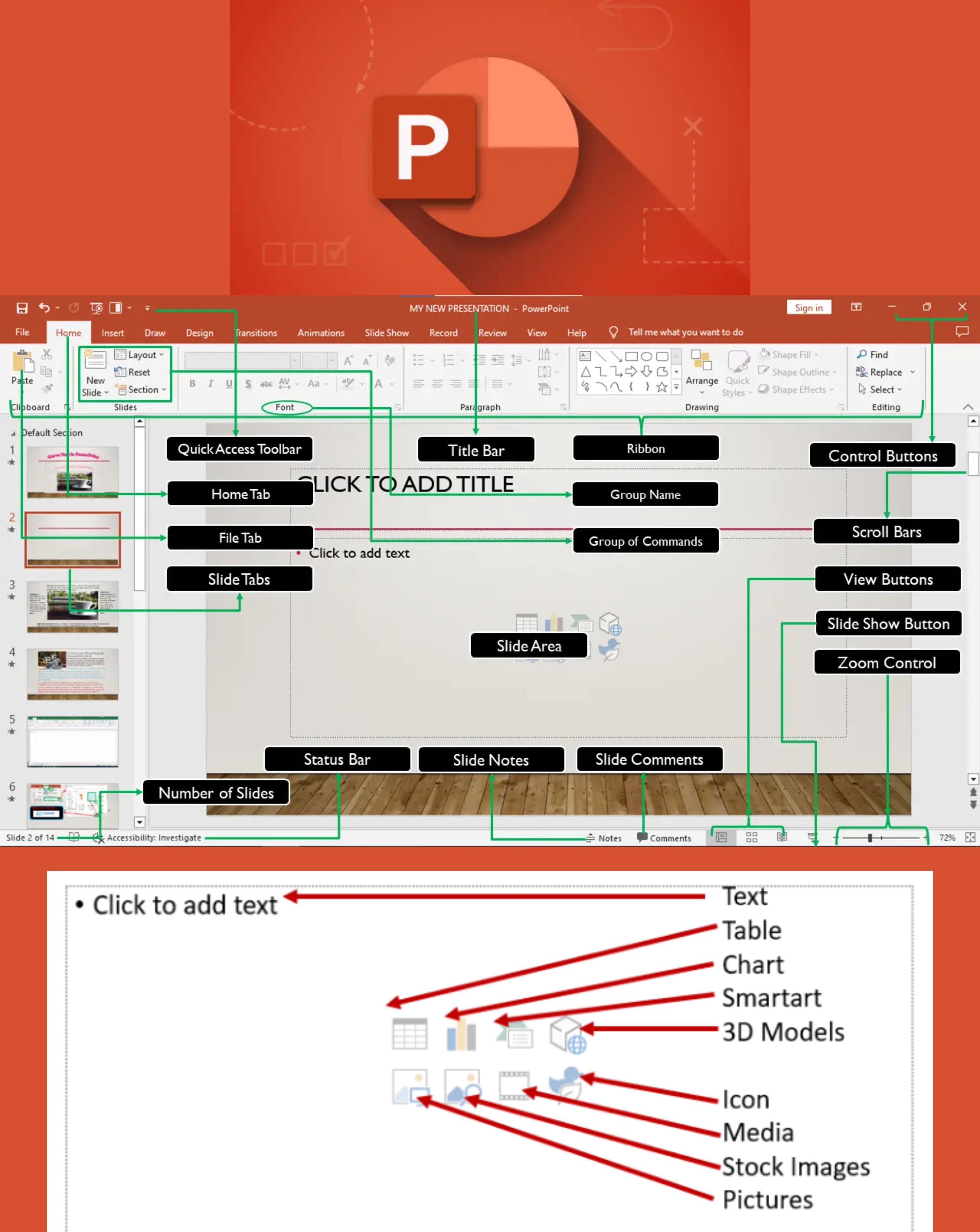
Q1: Define MS-PowerPoint
Ans: MS-PowerPoint is a presentation software used to create slideshows consisting of text, images, and multimedia.
Q2: Describe some features of PowerPoint.
Ans:
PowerPoint features include:- ➔ Slide templates
- ➔ Animations
- ➔ Slide transitions
- ➔ Multimedia insertion
- ➔ Slideshow presentation
Q3: Define Presentation.
Ans: A presentation is a collection of slides used to display information visually to an audience.
Q4: Define Slideshow.
Ans: A slideshow is a sequence of slides displayed one after another during a presentation.
Q5: Define Slide Transition.
Ans: Slide Transition is the visual effect that occurs when moving from one slide to another.
Q6: Define Hyperlink.
Ans: A hyperlink is a clickable link that directs users to another slide, document, or website.
Q7: How to select one Hyperlink after another in PowerPoint?
Ans: Click on a hyperlink during the slideshow, then press the Tab key to select the next hyperlink.
Q8: How can timings be set between slides?
Ans:
To set timings:- ➔ Go to the Transitions tab
- ➔ Set the duration time under Advance Slide
- ➔ Apply it to all slides if needed
Q9: Define Slide in PowerPoint.
Ans: A slide is a single page or screen in a PowerPoint presentation.
Q10: Define Slide Pane.
Ans: The slide pane is the main working area where the current slide is displayed and edited.
Q11: Define Slide Layout in MS PowerPoint.
Ans: A slide layout is a predefined arrangement of placeholders for text and objects on a slide.
Q12: Define Title Slide in MS PowerPoint.
Ans: A title slide is the first slide of a presentation that usually contains the title and subtitle.
Q13: Define Placeholder in MS PowerPoint.
Ans: A placeholder is a dotted box on a slide used to hold text, images, charts, or other objects.
Q14: Define Quick Print in MS PowerPoint.
Ans: Quick Print allows printing the presentation using default printer settings with one click.
Q15: Name 4 programs used for making presentations other than PowerPoint.
Ans:
Other presentation programs include:- ➔ Google Slides
- ➔ Apple Keynote
- ➔ LibreOffice Impress
- ➔ Prezi
Q16: Define Comment Pane in MS PowerPoint.
Ans: The comment pane is used to add and view comments related to a slide.
Q17: Where is the Comment Pane located in MS PowerPoint?
Ans: The comment pane is located at the bottom or right side of the slide window.
Q18: Define Notes Area in MS PowerPoint.
Ans: The notes area is used to add speaker notes for reference during a presentation.
Q19: Define Theme in MS PowerPoint.
Ans: A theme is a set of colors, fonts, and effects applied to give a presentation a consistent look.
Q20: How is slide show terminated in MS PowerPoint?
Ans: A slide show is terminated by pressing the Esc key.
Q21: What is the shortcut key to start a slide show from the 1st slide in MS PowerPoint?
Ans: Press F5 to start the slide show from the first slide.
Q22: What is the shortcut key to start a slide show from the current slide in MS PowerPoint?
Ans: Press Shift + F5 to start the slide show from the current slide.
Q23: Define Slide Sorter Option in MS PowerPoint.
Ans: Slide Sorter view displays all slides as thumbnails and is used to rearrange slides easily.
Q24: Name the contents of the Title Bar of MS PowerPoint.
Ans: The title bar contains the presentation name, program name, and window control buttons.
Q25: What is the most recent version of MS PowerPoint?
Ans: Microsoft PowerPoint 365 (part of Microsoft 365) is the most recent version.
Q26: Name some methods of inserting pictures in PowerPoint?
Ans:
Pictures can be inserted using:- ➔ Insert → Pictures
- ➔ Drag-and-drop
- ➔ Copying and pasting images
Q27: How to edit a text box in PowerPoint?
Ans: Click inside the text box and start typing or use the formatting options to edit.
Q28: How can color themes be created in PowerPoint?
Ans: Use the Design tab to select or customize color themes for the presentation.
Q29: What is PPT?
Ans: PPT is the file format extension for PowerPoint presentations.
Q30: What is the maximum zoom percentage in PowerPoint?
Ans: The maximum zoom percentage in PowerPoint is 400%.
Q31: What is a Template in PowerPoint?
Ans: A template is a pre-designed slide layout used as a starting point for presentations.
Q32: What is the extension of the PowerPoint file?
Ans: The extension is .pptx.